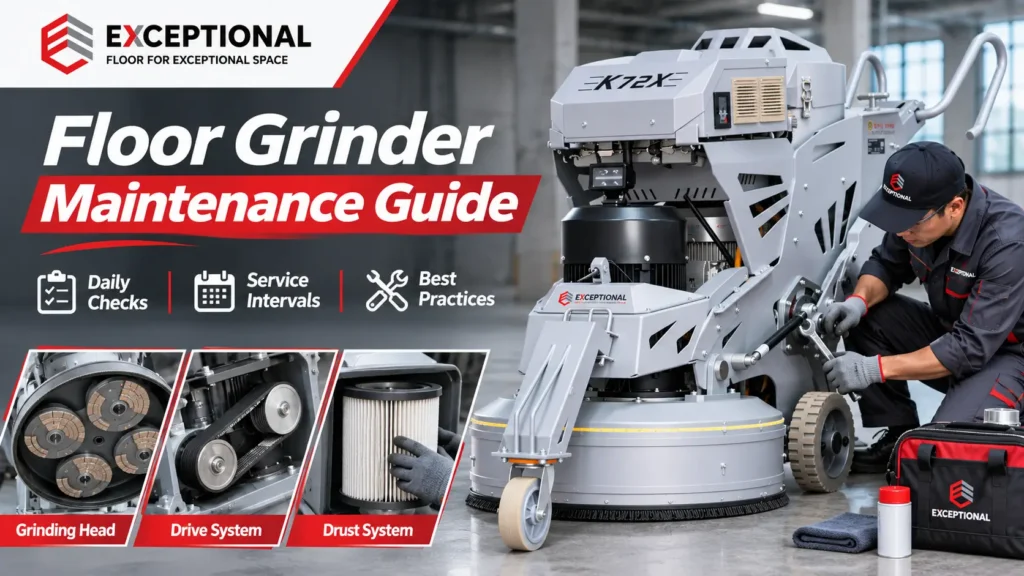
Floor grinder maintenance helps contractors prevent equipment breakdowns, protect grinding performance, and extend machine service life. Concrete dust, heavy grinding loads, vibration, and frequent transport can damage motors, grinding heads, bearings, and electrical components.
Poor maintenance also affects floor quality. Worn diamond tools may leave deep scratches. Loose tool holders can cause vibration. A clogged dust extractor can reduce dust collection and expose operators to airborne concrete dust.
This guide covers daily inspections, preventive maintenance schedules, component care, cleaning methods, and troubleshooting. It applies to Single Disc, rotary, planetary, and remote-controlled concrete floor grinders used for surface preparation, epoxy coating removal, and polishing.
Floor Grinder Maintenance Schedule at a Glance
A preventive maintenance schedule combines daily inspection, periodic servicing, and condition-based repairs. Operators handle routine checks. Qualified technicians perform work that requires specialized tools or access to electrical and drive components.
Use this schedule as a planning guide. Your machine’s operating manual determines its actual service and replacement intervals.
| Maintenance interval | Recommended inspection and maintenance | Responsible person |
|---|---|---|
| Before each use | Check cables, plugs, grinding heads, diamond tools, guards, controls, and dust extraction | Trained operator |
| During operation | Monitor noise, vibration, grinding performance, motor warnings, and dust capture | Operator |
| After each shift | Clean the machine, remove dust or slurry, inspect tooling, and record problems | Operator |
| Weekly / approximately 40 hours | Inspect accessible fasteners, wheels, handles, counterweight locks, couplings, and cooling vents | Operator / technician |
| Initial break-in inspection | Check early wear and adjustments specified in the machine manual | Trained or qualified personnel |
| Around 100–200 hours | Review grinding head connections, transmission wear, seals, belts, and service-related components | Technician |
| Around 200–400 hours | Perform deeper drive-system inspections and scheduled wear-part servicing | Qualified technician |
| Six months / annual review | Inspect major mechanical, electrical, and safety systems according to the model schedule | Qualified technician |
The maintenance intervals above do not require every machine to receive the same service at the same time.
For example, the LAVINA X Electric maintenance schedule includes a 15-hour inspection for selected models and additional checks at 100, 150, 200, and 400 hours. The Husqvarna PG 690/830 manual uses daily, weekly, six-month, and longer-term service categories.
T/FJDP 007-2023, a Chinese association standard covering floor grinding machine use and maintenance, also describes periodic inspections after extended operation.
The practical rule is simple: inspect safety-related components before use, follow the manufacturer’s service intervals, and investigate faults when they appear.
Why Preventive Floor Grinder Maintenance Matters
Reduce Equipment Downtime and Repair Costs
A failed grinding motor or damaged planetary gearbox can stop a concrete floor preparation project.
Emergency repairs may require replacement parts, technician travel, and equipment transport. The crew may lose working time while the contractor rearranges the project schedule.
Regular inspections help operators detect loose connections, worn seals, abnormal vibration, and cooling problems before these faults cause greater damage.
Protect Concrete Grinding and Polishing Quality
Floor grinder condition affects grinding-path quality.
Damaged grinding heads and uneven diamond tools can leave deep scratches or irregular marks. These defects may require extra grinding passes before contractors can apply epoxy coatings or continue concrete polishing.
| Maintenance problem | Possible effect on floor preparation |
|---|---|
| Uneven diamond segment height | Uneven grinding marks and vibration |
| Loose grinding plate | Unstable cutting and chatter marks |
| Damaged flexible coupling | Excessive vibration and uneven tool contact |
| Glazed diamond segments | Reduced cutting efficiency |
| Worn tool holder | Irregular scratch patterns and tool wear |
| Grinding head misalignment | Uneven load distribution and surface contact |
| Excessive motor loading | Reduced performance and unwanted shutdowns |
A properly maintained grinder cannot correct poor tooling selection or an unsuitable grinding method. However, keeping its mechanical system in good condition helps operators achieve consistent results.
Support Equipment Lifespan and Resale Value
Maintenance records show how owners have cared for a machine.
For contractors and rental businesses, these records help track wear parts, recurring faults, and operating costs. They also provide useful evidence during warranty discussions or equipment resale.
Floor Grinder Parts That Require Regular Maintenance
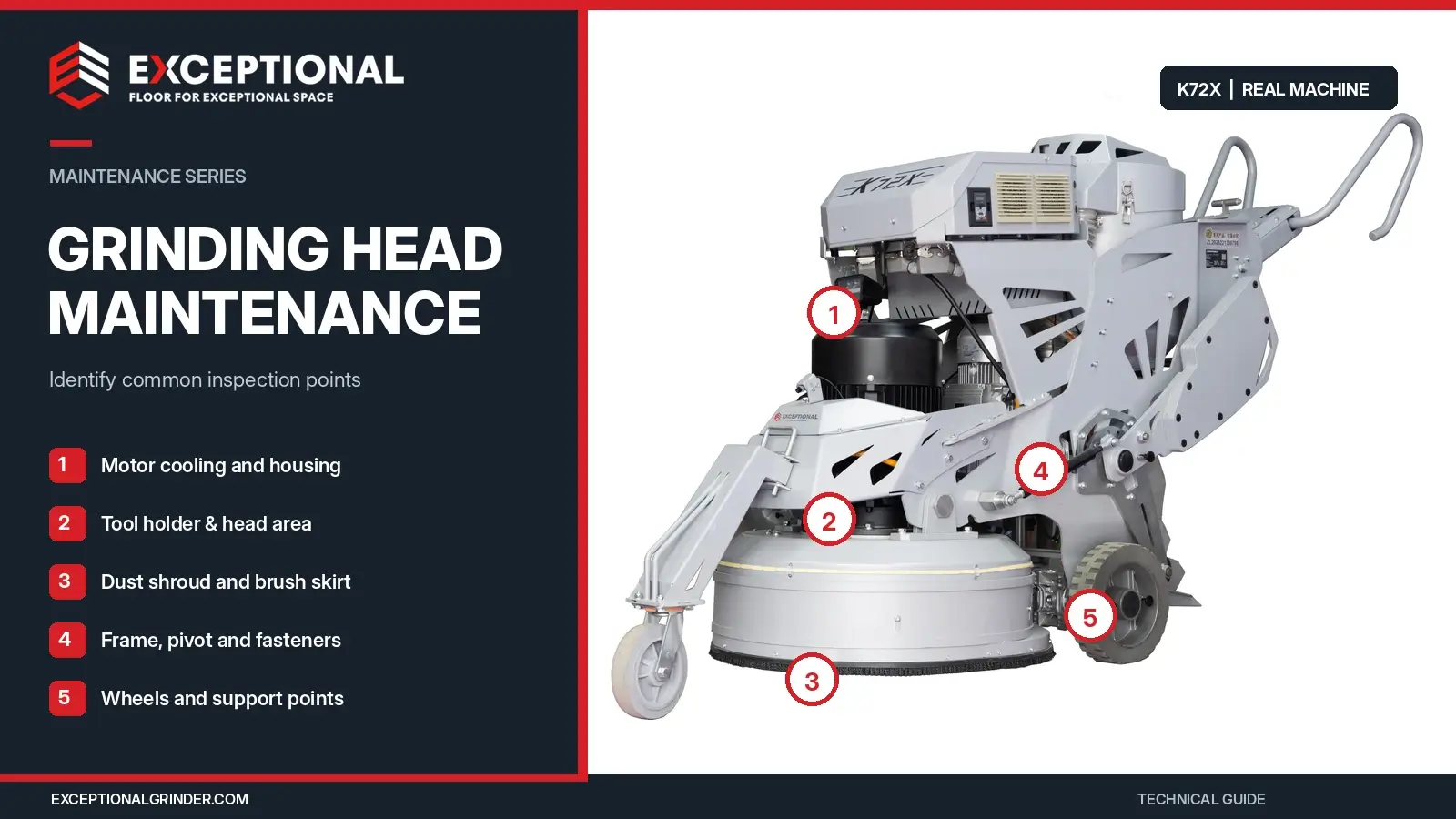
Most professional concrete floor grinders contain several connected mechanical and electrical systems.
Understanding these components helps operators locate problems and plan preventive maintenance.
| Component | Main maintenance concern |
|---|---|
| Grinding heads and plates | Secure attachment, wear, alignment |
| Diamond grinding tools | Cracks, missing segments, glazing, uneven wear |
| Flexible couplings and buffers | Cracking, deformation, looseness |
| Electric grinding motor | Cooling, overheating, unusual noise |
| Planetary gearbox | Lubrication, bearing condition, oil seals |
| Belt, chain, or gear transmission | Wear, tension, alignment, noise |
| Variable frequency drive (VFD) | Error codes, cooling, electrical protection |
| Dust shroud and skirt | Cracks, wear, poor floor contact |
| Dust extractor | Filters, hoses, collection bags, suction performance |
| Water system | Blocked nozzles, leaking hoses, slurry buildup |
| Frame, handles, and wheels | Loose fasteners, damaged locks, wheel wear |
| Remote-control system | Controller, batteries, travel functions, communication |
A Single Disc grinder has a simpler grinding head arrangement than a four-head planetary grinder. Large remote-controlled machines add travel motors, electronic controls, and other components that require inspection.
The Exceptional Grinder K58 Planetary Concrete Floor Grinder uses three 252 mm tool holders, a planetary grinding system, adjustable counterweights, and integrated dust extraction.
Its maintenance routine must cover both grinding components and the onboard vacuum system.
Safety Precautions Before Floor Grinder Maintenance
Stop the Machine and Isolate the Power Supply
Never inspect, tighten, lubricate, or replace grinding components while the machine operates.
Stop the grinder, wait for all rotating parts to stop, and isolate its energy sources before maintenance. For cord-connected machines, disconnect the electrical supply according to the operating manual.
Pressing an emergency-stop button does not replace electrical isolation.
Some VFD-equipped and battery-powered machines retain electrical energy after shutdown. Qualified technicians must follow the manufacturer’s discharge and verification procedures before accessing electrical components.
Secure the Grinding Head and Counterweights
Floor grinders contain heavy components that can move during maintenance.
Use the manufacturer’s approved method to tilt, lift, or support the machine before inspecting its underside. Secure counterweights and other movable assemblies.
Never rely on an unsecured handle, hydraulic component, or improvised support to hold a heavy grinder.
Wear Appropriate Personal Protective Equipment
Concrete grinding and equipment maintenance can expose workers to dust, noise, sharp tools, and electrical hazards.
Use suitable eye protection, safety footwear, gloves, hearing protection, and respiratory protection according to the task and exposure assessment.
For U.S. construction sites, OSHA 29 CFR 1926.1153 sets requirements for controlling respirable crystalline silica.
Keep other workers away from maintenance areas. Never bypass guards, interlocks, or electrical safety devices.
Daily Floor Grinder Maintenance Checklist
Daily inspections should take place before operation and continue through the end of the working shift.
Operators should report faults and remove unsafe equipment from service until the responsible person resolves the problem.
Before Operation: Pre-Start Inspection
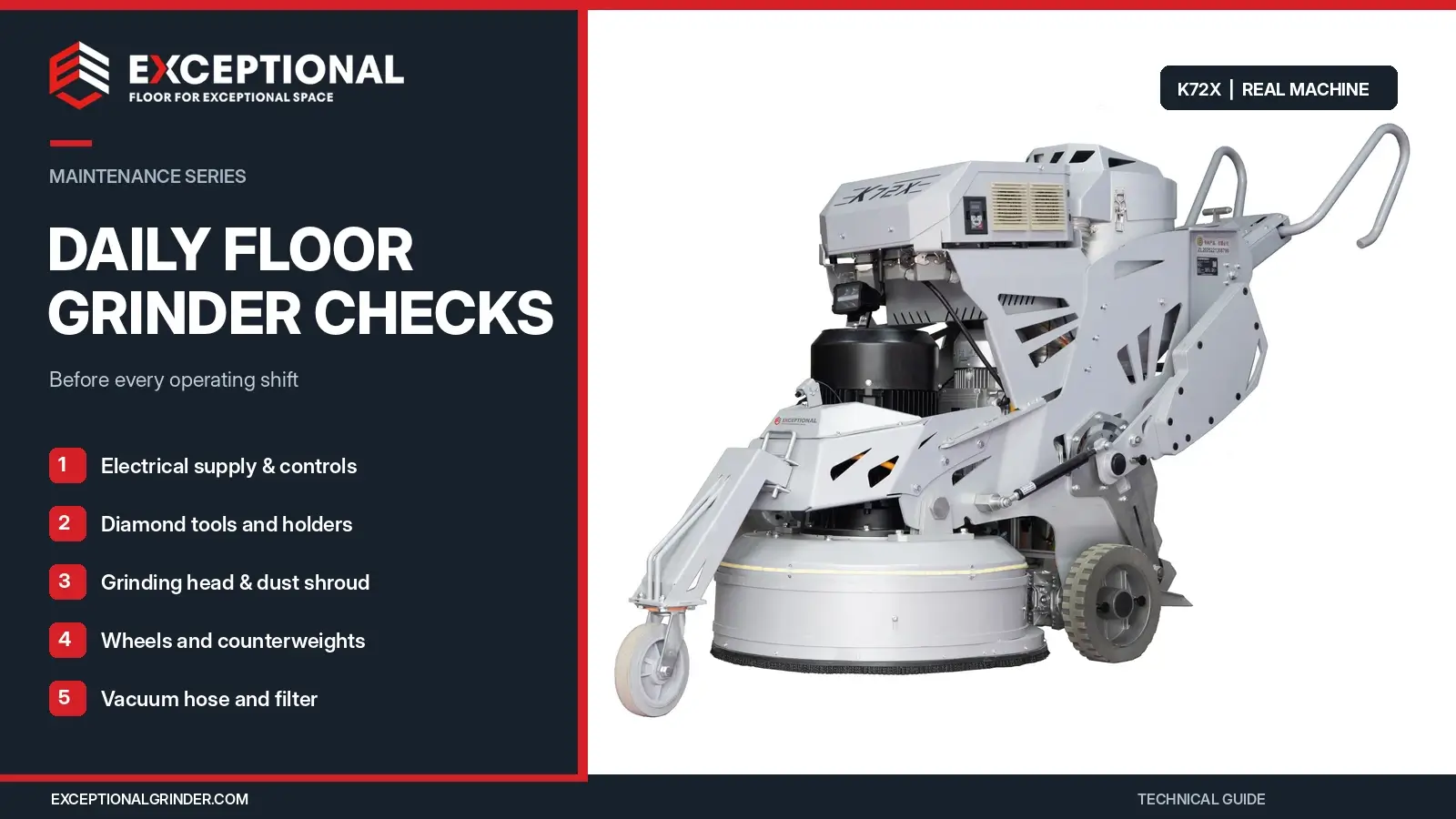
Use the following checklist before starting a concrete floor grinder.
| Inspection item | What operators should check |
|---|---|
| Power cable and plug | Cuts, exposed conductors, crushed insulation, loose connections |
| Electrical supply | Correct voltage, phase, frequency, and suitable circuit |
| Grinding discs | Cracks, damage, unusual wear |
| Diamond grinding tools | Missing segments, glazing, uneven height, loose mounting |
| Tool holders | Secure attachments and damaged mounting components |
| Grinding head guard | Cracks, loose parts, missing protection |
| Dust shroud | Worn brush skirt, damaged seals, blocked dust outlet |
| Vacuum hose | Cracks, blockages, loose connections |
| Filter and dust container | Filter warnings, available collection capacity |
| Wheels and handles | Damage, unusual movement, secure adjustment |
| Counterweights | Correct position and working locks |
| Control panel | Displays, warnings, speed controls, emergency stop |
| Water system | Tank, hoses, valves, and nozzles where applicable |
| Remote control | Battery, connection, travel control, and stop function where applicable |
Check the work area as well. Remove loose bolts, nails, cables, and other objects that could damage the diamond tools or create hazards.
During Operation: Monitor Warning Signs
Listen for changes in motor and transmission noise. Watch for unusual vibration, grinding-head movement, or changes in the machine’s travel behavior.
Some grinders display motor current, operating speed, overload warnings, and fault codes.
For example, the Exceptional Grinder K-72X Remote-Controlled Planetary Floor Grinder includes an LCD display that provides operating information, including motor speed, current, working hours, and fault information.
Operators should also monitor dust extraction and floor finish quality.
| Warning sign | Possible maintenance concern |
|---|---|
| Increasing vibration | Uneven tooling, loose holders, damaged couplings |
| Abnormal grinding noise | Bearing, gearbox, or tool-holder problem |
| Burning smell | Electrical fault, excessive friction, overheating |
| Reduced cutting performance | Glazed or worn diamond tools |
| Excessive visible dust | Extraction or shroud problem |
| Repeated VFD warnings | Power supply, overload, cooling, or drive fault |
| Uneven grinding marks | Tooling setup, wear, or grinding head condition |
T/FJDP 007-2023 describes an initial five-minute low-speed operating check. It also calls for stopping after the first five minutes of grinding to inspect abrasive wear.
Follow the actual machine’s startup procedure and inspect tooling after a safe shutdown. Never adjust or inspect rotating parts while they move.
After Operation: End-of-Shift Maintenance
Clean concrete dust from accessible machine surfaces and inspect the grinding tools.
Remove wet slurry before it hardens around the shroud, water system, or grinding assembly.
Check the machine for new damage. Record unusual noise, vibration, warning messages, and replacement parts required.
Secure the equipment and store it according to the operating manual.
How to Clean a Concrete Floor Grinder After Use
Cleaning helps limit dust accumulation, protect mechanical components, and identify developing faults.
Choose a cleaning method that suits the machine and the material it has processed.
Cleaning After Dry Concrete Grinding
Dry grinding produces fine concrete dust that can collect around grinding heads, cooling vents, wheels, and machine housings.
Use suitable industrial dust extraction and manufacturer-approved cleaning methods. Clean accessible surfaces without forcing dust into electrical enclosures or bearings.
Avoid using compressed air to blow concrete dust into the workplace. OSHA restricts compressed-air cleaning and dry sweeping when these methods could increase silica exposure and suitable alternatives exist.
Inspect the dust shroud and vacuum hose after cleaning. Remove blockages using the procedure in the equipment manual.
Cleaning After Wet Concrete Grinding
Wet grinding produces slurry containing water and fine abrasive particles.
Remove slurry from the grinding head housing, tool holders, water-feed connections, and accessible machine surfaces.
Clean water tanks and nozzles according to the manufacturer’s instructions. Do not allow dried slurry to block hoses or accumulate around seals.
Collect and dispose of slurry according to the site’s waste-handling requirements.
Can You Pressure-Wash a Floor Grinder?
Some manufacturers permit controlled pressure washing of specific mechanical assemblies. Others restrict water cleaning.
Husqvarna’s PG 690/830 manual describes an underside-cleaning method using a pressure washer. It warns operators not to direct water at seals or connection points.
LAVINA also includes model-specific cleaning procedures for certain chain-drive components.
These instructions do not mean every floor grinder can withstand pressure washing.
Avoid spraying electrical enclosures, controls, motors, batteries, or exposed connections. Follow the exact manual for the model and cleaning location.
For general exterior cleaning, suitable dust extraction, soft brushes, and approved wiping methods offer a practical starting point.
Weekly Floor Grinder Maintenance and Inspection
Weekly checks focus on parts that may develop wear or looseness during repeated grinding and transport.
The following tasks form a practical inspection plan. The manufacturer’s service manual determines which adjustments operators may perform.
Inspect Tool Holders and Flexible Couplings
Examine accessible grinding head connections, flexible couplings, and rubber buffers.
Look for cracks, deformation, loose fasteners, uneven movement, or damaged attachment points.
Worn flexible components can contribute to vibration and poor tool contact. Replace parts according to the manufacturer’s specifications.
Check Drive Belts, Chains, and Pulleys
Inspect accessible transmission components for cracking, fraying, slipping, or unusual noise.
Different floor grinders use different belt, chain, and gear arrangements.
Use the correct service procedure for belt tension and alignment. Do not apply a general belt-deflection measurement to machines with different transmission designs.
Inspect Wheels, Handles, and Counterweight Locks
Check wheel condition, accessible fasteners, handle adjustment points, and locking mechanisms.
Make sure the machine remains stable during handling and transport.
Adjustable counterweights must remain secure in their selected positions.
Check Motor Cooling and External Electrical Components
Inspect motor cooling openings and accessible wiring for accumulated dust or damage.
A blocked cooling path can increase motor temperature and reduce performance.
Qualified technicians should handle internal wiring, electrical connections, and VFD repairs.
Floor Grinder Service Intervals: Break-In, 100, 200, and 400 Hours
Preventive maintenance uses operating hours to plan inspections and servicing.
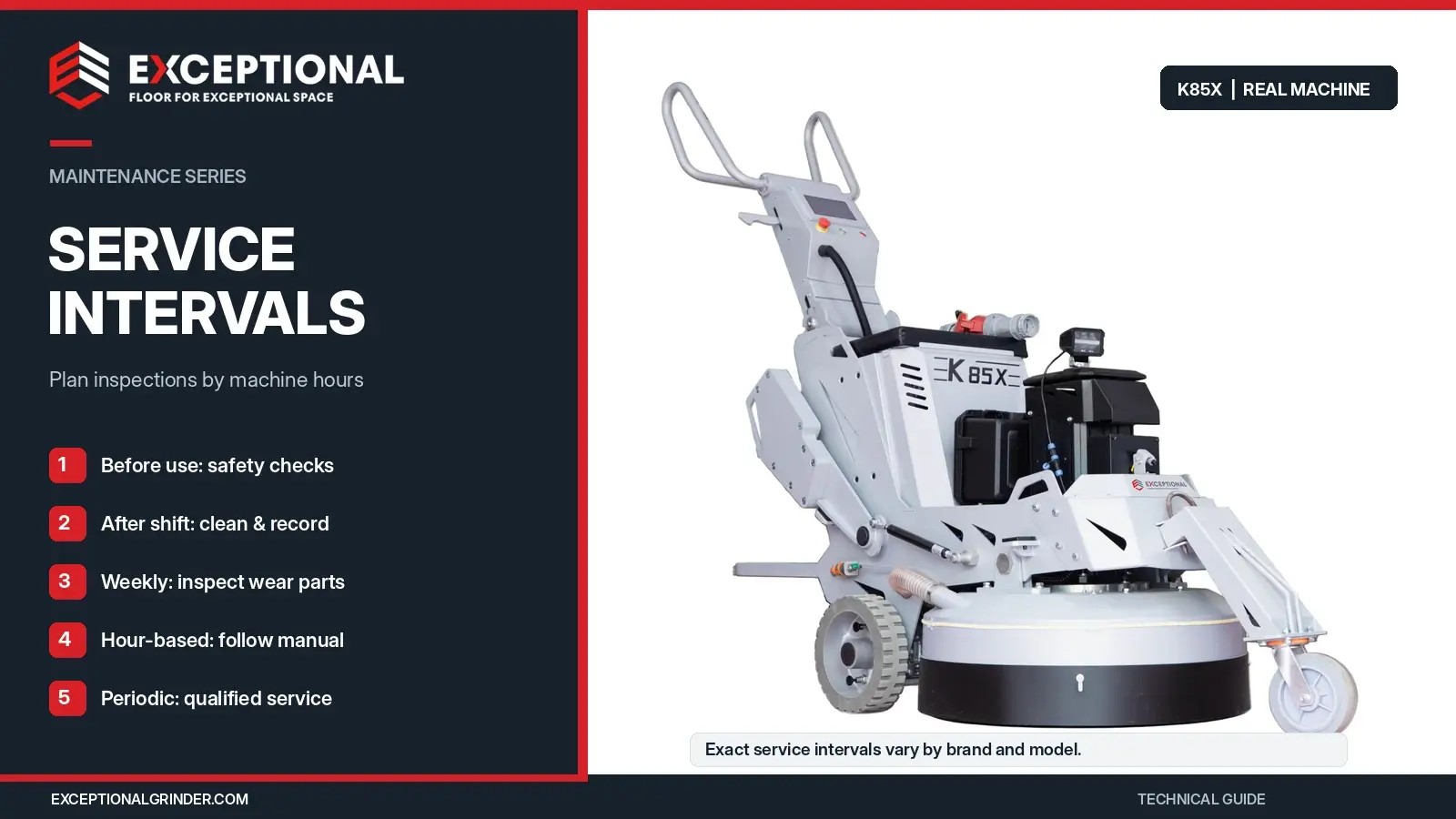
However, manufacturers do not follow one universal schedule.
Initial Break-In Maintenance
New grinding machines may require an early inspection after their first operating hours.
Manufacturers may specify checks for fasteners, transmission components, tool holders, or engine systems.
For example, LAVINA’s X Electric maintenance schedule includes an initial 15-hour milestone for selected L25/32 X machines.
Check your machine’s service documentation before adjusting belts, replacing lubricants, or tightening components.
Maintenance Around 100–200 Hours
A deeper inspection can help identify wear that routine daily checks may miss.
Focus on grinding head connections, couplings, seals, accessible transmission parts, and signs of bearing or gearbox damage.
T/FJDP 007-2023 specifies a routine inspection after more than 100 hours of continuous work or seven days of intermittent operation. It also calls for at least monthly maintenance checks when operators use the machine infrequently.
These provisions do not eliminate the need for inspections before each use.
Maintenance Around 200–400 Hours
Some international manufacturers schedule more extensive service during this period.
The LAVINA X Electric schedule lists detailed inspections at 200 and 400 hours. These tasks include examining seals, V-rings, belts, pulleys, bearings, buffers, and other wear components.
The schedule calls for specific replacements and condition-based checks at these milestones.
Do not copy LAVINA’s replacement schedule onto an Exceptional Grinder or another manufacturer’s machine without technical approval.
Six-Month and Annual Maintenance
Periodic major-component inspections should cover mechanical condition, electrical safety, transmission performance, and wear-part history.
T/FJDP 007-2023 specifies maintenance of important components every six months.
Husqvarna’s PG 690/830 manual also includes six-month service and longer-term tasks that an approved service agent must perform.
When Should You Inspect a Grinder More Often?
Operating conditions affect how quickly components accumulate contamination or wear.
Dry grinding, coating removal, heavy grinding pressure, extended shifts, frequent transport, and multi-operator rental use can justify closer inspections.
Keep the manufacturer’s required servicing schedule as the minimum basis. Increase condition checks when the work demands them.
Grinding Head, Diamond Tool, and Planetary System Maintenance
The grinding head carries the tools that contact the floor. Its condition affects cutting performance, vibration, and scratch patterns.
Inspect Grinding Heads and Tool Plates
Check grinding plates, mounting hardware, tool-holder connections, and accessible head assemblies.
Look for damaged plates, loose components, unusual movement, and uneven tool contact.
For planetary machines, inspect all heads rather than focusing on one tool holder.
The Exceptional Grinder K58 uses three grinding heads, while the K-72X uses four 252 mm tool holders.
Each head needs secure tooling and consistent operation.
Diamond Tool Wear: Glazing, Cracking, and Uneven Segments
Diamond grinding tools wear during normal operation. However, unusual wear may indicate incorrect tooling or machine problems.
| Tool condition | Possible cause | Maintenance response |
|---|---|---|
| Diamond segments stop cutting | Glazing or unsuitable bond | Check the floor hardness and tooling |
| Segments wear too quickly | Excessively soft bond for abrasive concrete | Review bond selection |
| One segment wears faster | Uneven loading or tool arrangement | Inspect the complete tool set |
| Broken or missing segment | Tool damage or excessive mechanical loading | Stop and replace unsafe tooling |
| Loose grinding shoe | Mounting or fastening problem | Inspect the holder and attachment |
| Resin polishing pad detaches | Worn backing or attachment system | Inspect the pad and backing plate |
For hard concrete, a softer diamond bond often helps expose fresh cutting diamonds. Soft, abrasive concrete generally needs a harder bond to control wear.

Keep tools of the same grinding stage consistent across the machine. Follow the manufacturer’s instructions when changing sets, rotating positions, or replacing individual tools.
Read How to Choose Diamond Grinding Tools for Concrete Floors for bond hardness, grit, PCD tooling, and segment selection.
Flexible Couplings, Buffers, and Mechanical Vibration
Flexible couplings and rubber buffers help connect moving components within some grinding head systems.
Repeated loading and vibration can damage these parts.
Inspect them for cracks, deformation, separation, and excessive movement. Replace damaged components using the manufacturer’s service instructions.
Do not continue operating a grinder that develops severe vibration or loose grinding head components.
Grinding Disc Alignment and Floor Quality
Grinding head alignment affects how the tools contact the floor.
JB/T 15101-2025, Building Construction Machinery and Equipment — Floor Grinder Machine, includes grinding disc height difference among its basic technical parameters.
The standard describes a method for measuring the vertical difference between grinding disc mounting planes.
Damaged holders, worn mounting parts, or incorrect alignment can change tool loading and leave an uneven grinding pattern.
Inspect these conditions when operators report persistent vibration or scratches that remain after correcting the tooling setup.
Floor Grinder Motor, Gearbox, and Drive System Maintenance
The motor and transmission deliver power to the grinding heads.
These systems need suitable operating conditions, correct lubrication where required, and periodic inspection.
Electric Motor Maintenance and Overheating Prevention
Concrete grinding places continuous loads on the grinding motor.
Excessive cutting pressure, unsuitable abrasives, blocked cooling openings, or electrical supply problems can increase motor temperature.
Keep cooling openings clear and monitor overload warnings. Stop operation when the motor develops abnormal noise, heat, or repeated faults.
Do not compensate for a recurring overload by bypassing electrical protection.
Planetary Gearbox Lubrication and Oil Seal Inspection
Planetary transmissions may use gears, bearings, seals, and lubricants to transfer power.
Oil leakage, unusual noise, excess heat, or mechanical play can indicate a developing problem.
Inspect visible leakage and report changes in gearbox condition.
There is no universal gearbox oil-change interval for all floor grinders. The correct lubricant, quantity, and service schedule depend on the gearbox.
Do not mix lubricants or open a sealed transmission without the manufacturer-approved procedure.
Drive Belt and Chain Maintenance
Belt and chain systems require inspection for wear, tension, and alignment.
Possible warning signs include squealing, slipping, damaged belt edges, unusual vibration, or reduced grinding-head rotation.
A technician should inspect the system before adjusting tension or replacing drive components.
Do not assume that all belts require replacement after 200 hours or that every gear-driven machine needs less maintenance than a belt-driven grinder.
Bearings, Seals, and Flexible Couplings
Bearings support rotating shafts and grinding assemblies. Seals help protect internal components from dust, water, and slurry.
Damage can cause noise, heat, vibration, or lubricant leakage.
Manufacturers may specify scheduled replacement for some components and condition-based replacement for others.
Follow the actual service requirements rather than using a fixed replacement interval for every machine.
Electrical, VFD, and Remote-Control Maintenance
Electrical systems control motor operation, grinding speed, and protective functions.
Modern planetary grinders may also include LCD displays, servo controls, travel motors, and wireless remote operation.
Common VFD Faults and Their Meaning
A variable frequency drive controls motor speed and can monitor electrical operating conditions.
Fault messages differ by manufacturer, but several categories appear across industrial drive systems.
| VFD warning | Possible issue to investigate |
|---|---|
| Overcurrent | Excessive load, motor problem, electrical fault |
| Undervoltage | Supply voltage problem or unsuitable connection |
| Overvoltage | Power or drive-system fault |
| Overtemperature | Cooling problem or excessive operating load |
| Phase loss | Missing electrical phase or connection fault |
| Motor overload | Excessive load or unsuitable operating condition |
Record the fault code, operating conditions, and machine model.
Consult the machine’s fault manual. Repeatedly resetting a drive without finding the cause can lead to further damage.
Qualified technicians should perform electrical measurements, internal inspections, and drive repairs.
Power Cable, Plug, and Generator Inspection
Inspect power cables for damaged insulation, crushed sections, loose connectors, and signs of overheating.
Check that the site supply matches the voltage, phase, frequency, and current requirements on the machine’s data sheet.
Undersized cables, unsuitable generators, or unstable power supplies can create operating problems.
Do not repair damaged industrial connectors with temporary tape or improvised wiring.
Remote-Controlled Floor Grinder Maintenance
Remote-controlled grinders add electronic controls and powered movement to the grinding system.
The Exceptional Grinder K-85X Full-Servo Planetary Floor Grinder combines an 850 mm four-head grinding system with full-function remote control and battery backup.
Its maintenance requirements include the grinding assembly and the remote-control system.
Operators should check controller battery condition, communication, travel and steering functions, warning indicators, and stopping performance.
T/FJFA 016-2024, Remote Control Floor Grinder Use and Maintenance Requirements, covers pre-use checks, safe operation, and maintenance precautions for remote-controlled grinding machines.
Keep the machine secure against unexpected movement during servicing. Use the correct procedure for the actual drive and control configuration.
Propane and Engine-Powered Grinders
Some international floor grinder models use propane or other combustion engines rather than electric grinding motors.
These machines require engine-specific maintenance, including oil, air filters, ignition components, fuel connections, and emissions-control systems.
Propane equipment also creates carbon monoxide hazards. Indoor use requires strict attention to the manufacturer’s instructions and applicable ventilation and exposure requirements.
Follow the engine manufacturer’s service schedule. Do not apply electric-grinder maintenance instructions to a combustion-engine drive system.
Dust Extractor and Water System Maintenance
Dust extraction forms part of the complete floor grinding system.
A grinder can operate mechanically while its dust collector fails to capture dust effectively. This creates cleaning problems and can increase worker exposure.
Inspect Dust Shrouds, Hoses, and Filters
Check the dust skirt for tears, gaps, or poor contact with the floor.
Inspect vacuum hoses for cracks, blockages, crushed sections, and loose connections.
Review filter condition and collection capacity. A clogged filter or full dust container can reduce operating airflow.
Follow the extractor’s instructions when cleaning filters or replacing dust bags.
Maintaining Floor Grinders With Built-In Vacuums
Integrated vacuum systems combine grinding and dust extraction in one machine.
The Exceptional Grinder K58 Planetary Floor Grinder uses a 7.5 kW grinding motor and a separate 2.55 kW vacuum motor.
Operators must maintain both systems.
Inspect the dust shroud, collection system, filter condition, vacuum connections, and motor cooling.
A grinding motor that works does not prove the vacuum system works.
Maintaining External Industrial Dust Extractors
Some larger grinders use separate dust extractors.
The Exceptional Grinder V3 Industrial Dust Extractor has a 3 kW three-motor extraction system, a conical main filter, and three final-stage HEPA filters.
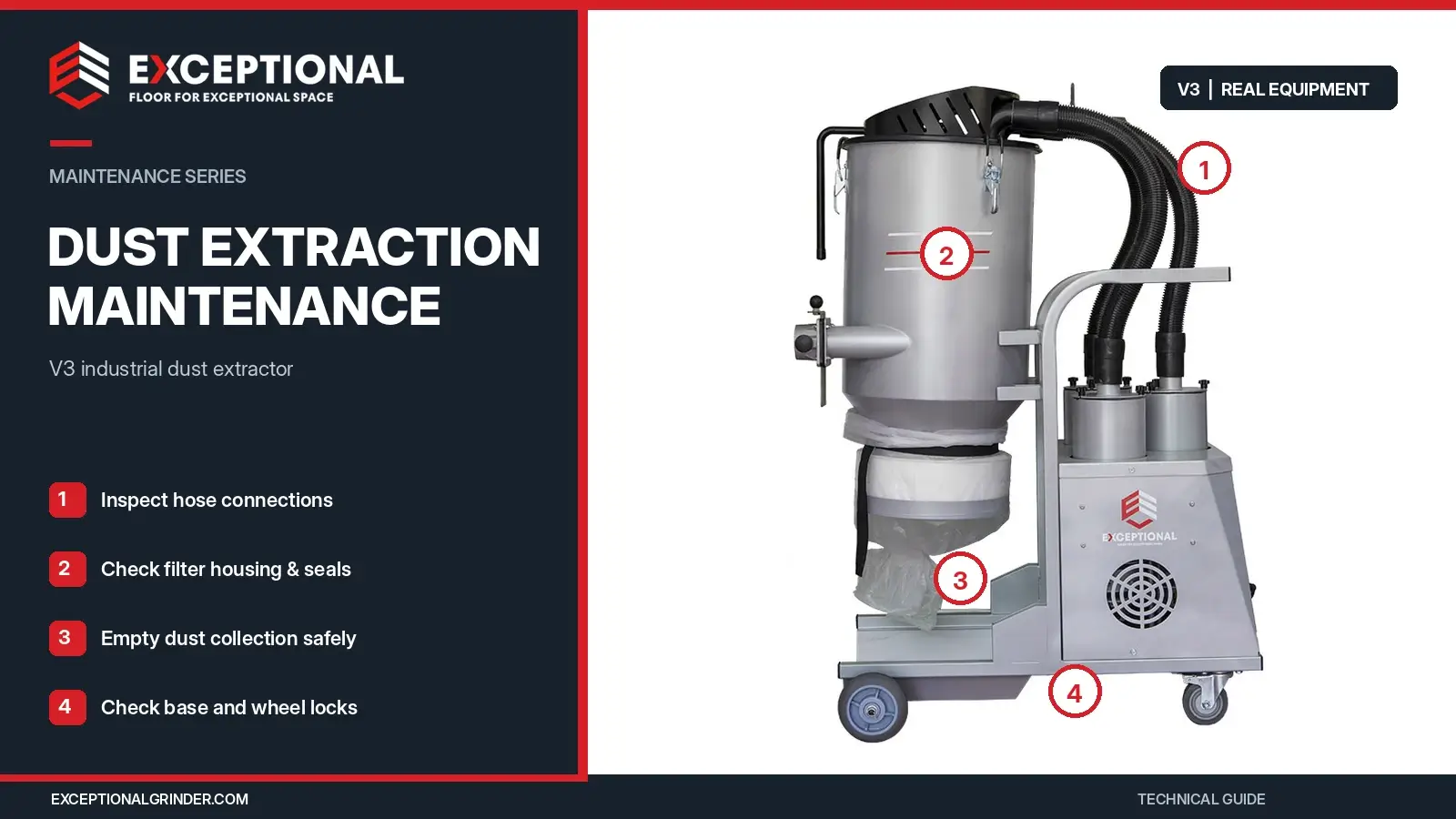
Its published maximum airflow reaches 468 m³/h, with a maximum vacuum pressure of 0.23 bar.
Operators should inspect the collection bag, filter-cleaning system, hose connections, and vacuum motor condition.
The V3 uses a 50 mm hose. Before connecting it to another machine, confirm port compatibility and adequate operating airflow.
Silica Dust Control and OSHA Requirements
OSHA 29 CFR 1926.1153 Table 1 includes specified control methods for walk-behind milling machines and floor grinders.
For dry methods, the standard describes a manufacturer-recommended dust collection system with suitable airflow, filtration, and filter cleaning. Indoor or enclosed operations under that method also require HEPA-filtered vacuum cleaning between passes.
Maintenance affects whether the dust system continues to provide its intended performance.
A HEPA label alone does not establish compliance with all OSHA requirements. Contractors must evaluate the complete equipment arrangement and applicable work practices.
For a detailed comparison, read Concrete Floor Grinders With vs. Without Built-In Vacuum.
Wet Grinding Water System Maintenance
Wet grinding machines need clean water lines and suitable slurry handling.
Inspect tanks, hoses, valves, and nozzles for blockage or damage.
Remove slurry after work and prevent standing water from damaging machine components.
In freezing conditions, follow the manufacturer’s draining and storage instructions.
Floor Grinder Troubleshooting: Common Problems and Corrective Actions
Troubleshooting begins with the machine’s symptoms.
A grinding problem may come from the electrical supply, abrasive tools, mechanical transmission, or floor conditions.
Stop the grinder when an abnormal condition affects safety. Inspect accessible components only after the machine reaches a safe state.
| Problem | Possible causes | Recommended action |
|---|---|---|
| Grinder will not start | Power supply, emergency stop, controller, electrical fault | Check approved external controls and supply; refer electrical faults to a technician |
| Excessive vibration | Uneven diamond tools, loose holder, worn coupling, bearing damage | Stop and inspect tooling and mechanical condition |
| Deep scratches or swirl marks | Mixed grit, uneven tool height, damaged holders, unsuitable grinding sequence | Check tooling arrangement and grinding head condition |
| Machine pulls to one side | Uneven tool loading, machine setup, wheel condition | Inspect the approved setup and tooling |
| Grinding heads stop under load | Transmission problem, belt damage, motor overload | Stop and arrange drivetrain inspection |
| Motor overheats | Excessive load, cooling blockage, power problem | Stop, inspect safe external conditions, and identify the cause |
| VFD trips repeatedly | Overcurrent, supply fault, overheating, drive problem | Record the code and follow model-specific diagnostics |
| Diamond tools stop cutting | Glazing, unsuitable bond, wrong operating conditions | Inspect abrasives and review bond selection |
| Diamond segments wear too quickly | Abrasive concrete, unsuitable bond, excessive loading | Review tooling and floor conditions |
| Gearbox makes unusual noise | Bearing wear, lubrication issue, mechanical damage | Remove from service for qualified inspection |
| Dust escapes from the shroud | Damaged skirt, blocked hose, clogged filter | Restore dust extraction before continuing |
| Water flow becomes weak | Empty tank, blocked nozzle, damaged hose | Inspect the isolated water system |
| Remote control fails | Battery, communication, safety control, drive fault | Use the manufacturer’s fault procedure |
| Machine develops a burning smell | Electrical or mechanical overheating | Stop, isolate power, and arrange inspection |
Some problems require a new consumable. Others need specialized mechanical or electrical service.
The important step is to identify the cause before returning the machine to work.
Floor Grinder Maintenance by Machine Type
Different grinding systems share basic inspection requirements but need different component checks.
| Grinder type | Additional maintenance focus |
|---|---|
| Single Disc floor grinder | Main grinding plate, motor, power cable, wheels, tool attachment |
| Rotary concrete grinder | Direct-drive or rotary transmission, grinding plates, mounting hardware |
| Planetary floor grinder | Multiple heads, couplings, gearbox, counterweights |
| Built-in vacuum grinder | Onboard filter, dust container, vacuum motor, extraction connections |
| Remote-controlled grinder | Controller, communication, travel drive, steering, stopping system |
| Wet grinding machine | Water feed, slurry removal, seals, corrosion prevention |
| Engine-powered grinder | Engine oil, filters, ignition, fuel system, emissions controls |
For compact floor preparation equipment, explore Exceptional Grinder’s Single Disc Floor Grinders.
For larger grinding systems, browse Planetary Floor Grinders and check each model’s maintenance documentation.
Operator Maintenance vs. Professional Servicing
Not every maintenance task requires a service technician.
However, operators should work only within their training and the manufacturer’s approved procedures.
| Maintenance task | Trained operator | Qualified technician |
|---|---|---|
| Visual inspection | Yes | As needed |
| External cleaning | Yes | As needed |
| Diamond tool replacement | When the manual permits | As needed |
| Dust bag and filter maintenance | When the manual permits | As needed |
| Power cable visual inspection | Yes | As needed |
| Belt tension adjustment | Only with authorization and training | Usually |
| Internal electrical repair | No | Yes |
| VFD internal servicing | No | Yes |
| Gearbox disassembly | No | Yes |
| Bearing replacement | No | Yes |
| Formal electrical safety testing | No | Yes |
| Major drive-system repair | No | Yes |
Qualified personnel should handle work that requires access to stored energy, internal electrical parts, or complex transmissions.
Do not allow a temporary field repair to replace the correct inspection and service procedure.
Preventive Maintenance Costs and Total Cost of Ownership
For professional contractors and equipment fleets, maintenance costs form part of equipment ownership.
The purchase price alone does not show the machine’s operating cost.
What Should a Maintenance Budget Include?
A practical maintenance budget covers tools, filters, wear parts, technician labor, inspections, transport, and downtime.
| Cost category | Common examples |
|---|---|
| Grinding consumables | Diamond segments, polishing pads, PCD tools |
| Mechanical wear parts | Buffers, belts, seals, bearings, tool holders |
| Dust extraction | Filters, dust bags, hoses, brush skirts |
| Planned service | Inspection, labor, approved lubrication |
| Unplanned repair | Damaged motor, gearbox, control system |
| Downtime | Delayed projects, idle labor, replacement equipment |
| Fleet management | Inspections, records, spare-parts stock |
Preventive Maintenance vs. Emergency Repairs
Preventive maintenance requires time and planned spending.
Emergency repairs can add equipment transport, expedited parts, and lost production.
Consider a simple example.
| Cost item | Planned maintenance | Unexpected breakdown |
|---|---|---|
| Parts and labor | $150 | $800 |
| Additional transport | $0 | $150 |
| Lost productive time | $0 | $600 |
| Total example cost | $150 | $1,550 |
Illustrative example only. These figures do not represent Exceptional Grinder repair prices or measured customer savings.
The example shows why maintenance planning can reduce financial risk. Actual costs depend on the machine, fault, location, and project schedule.
When Should a Contractor Repair or Replace a Grinder?
Compare the repair estimate with replacement cost, expected remaining service life, spare-parts availability, and the machine’s repair history.
A machine with an isolated service fault may justify repair. Repeated failures, obsolete components, and high downtime can change the calculation.
For broader equipment purchasing decisions, see the Concrete Floor Grinder Buying Guide.
Floor Grinder Maintenance Log and Inspection Records
A maintenance log helps owners track machine condition, operating hours, repairs, and recurring problems.
Each record should identify the machine and the work completed.
| Maintenance log field | Information to record |
|---|---|
| Machine identification | Brand, model, serial number |
| Inspection date | Date of inspection or repair |
| Operating hours | Hour-meter reading |
| Operator / technician | Name of responsible person |
| Inspection result | Pass, attention required, out of service |
| Fault description | Symptoms, warning codes, observed damage |
| Maintenance performed | Cleaning, inspection, adjustment, repair |
| Replacement parts | Part number, description, quantity |
| Next service | Date or operating-hour milestone |
| Return-to-service approval | Responsible person and approval date |
T/FJDP 007-2023 specifies a maintenance-record retention period of at least three years within its framework.
For rental fleets, create a record for every customer handover and machine return.
Record operating hours, equipment condition, missing accessories, damage, and required repairs before issuing the machine to another customer.
This helps fleet managers track repair frequency and identify machines that need attention.
Best Practices to Extend Floor Grinder Service Life
Consistent operating habits help protect motors, grinding heads, and abrasive tools.
| Best practice | Benefit |
|---|---|
| Inspect equipment before each shift | Detects damage before operation |
| Match diamond tools to concrete hardness | Controls tool wear and cutting performance |
| Follow approved starting procedures | Reduces improper loading and operation |
| Avoid excessive grinding pressure | Limits avoidable load and abrasive wear |
| Maintain cooling airflow | Helps prevent motor overheating |
| Check abnormal noise and vibration | Identifies possible mechanical faults |
| Keep dust extraction working | Supports dust control and equipment cleanliness |
| Follow the correct lubrication schedule | Protects the transmission |
| Store equipment in a dry location | Reduces moisture and corrosion problems |
| Secure machinery during transport | Protects wheels, frames, and control systems |
| Train operators and technicians | Improves fault detection and safe maintenance |
| Track operating hours and repairs | Supports preventive maintenance planning |
Storage and Transport Maintenance
Clean the machine before storage and secure detachable parts.
Protect cables, controls, grinding heads, and water systems from impact and moisture.
During transport, use the machine’s approved lifting and securing points. Check the weight and dimensions before loading.
For long-term storage, follow the manufacturer’s instructions for batteries, water tanks, lubricants, and engine fuel systems.
Common Maintenance Mistakes
Several mistakes create avoidable equipment problems.
Using damaged diamond tools can cause vibration and uneven cuts. Ignoring oil leaks can allow transmission damage to develop.
Operating with clogged cooling vents can raise motor temperatures. Poor vacuum maintenance can reduce dust control.
Other problems include using the wrong lubricant, washing electrical components, bypassing safety devices, and returning faulty equipment to service without inspection.
Frequently Asked Questions About Floor Grinder Maintenance
How often should a concrete floor grinder be serviced?
Inspect the grinder before each use and clean it after every shift. Check wear parts, controls, guards, and dust extraction as part of routine maintenance. Follow the manufacturer’s operating-hour schedule for deeper mechanical and electrical servicing. Service intervals differ by machine design and operating conditions.
What should I inspect before using a floor grinder?
Check the power cable, plug, grinding heads, diamond tools, guards, emergency stop, handles, wheels, and dust extraction system. Confirm that the electrical supply matches the machine. Inspect water or remote-control systems when the grinder includes these features.
How do you clean a concrete floor grinder after use?
Stop the machine and isolate its energy sources. Remove dry concrete dust with suitable extraction and approved cleaning methods. Remove wet slurry before it hardens. Clean accessible machine surfaces, grinding housings, and dust shrouds without damaging electrical or mechanical components.
Can you pressure-wash a floor grinder?
Some manufacturers permit controlled pressure washing of specific mechanical assemblies. Others restrict it. Check the operating manual before using water. Never assume that electrical controls, motors, bearings, or seals can withstand direct high-pressure washing.
How often should floor grinder drive belts be replaced?
There is no universal belt replacement interval. Follow the model’s maintenance schedule and inspect belts for cracking, fraying, slipping, or abnormal noise. A qualified technician should check alignment, tension, and replacement requirements.
When should I change floor grinder gearbox oil?
The correct interval depends on the gearbox design, lubricant, and operating conditions. Some transmissions require scheduled oil changes, while others use sealed systems or different lubrication methods. Follow the manufacturer’s specifications and investigate leakage, noise, or overheating.
Why does my floor grinder vibrate excessively?
Possible causes include uneven diamond tools, loose grinding plates, damaged flexible couplings, worn bearings, and grinding head problems. Stop the machine and inspect the tooling after proper isolation. If vibration continues, arrange professional mechanical inspection.
What causes swirl marks or deep scratches during concrete grinding?
Common causes include mixed abrasive grit, uneven tooling, damaged holders, excessive loading, and an unsuitable grinding sequence. Check the machine’s mechanical condition and tool arrangement. Then review the diamond grit progression and operating settings.
Why does my floor grinder motor overheat?
Excessive grinding load, blocked cooling vents, electrical supply problems, and mechanical faults can increase motor temperature. Stop operation when overheating occurs. Check safe external conditions and consult a qualified technician if the machine continues to trip or overheat.
How do I know when diamond grinding tools need replacement?
Inspect for missing or broken segments, damaged mounting parts, severe uneven wear, and reduced cutting performance. Glazing may require a different bond or approved dressing method rather than immediate replacement. Follow the tooling manufacturer’s wear limits and instructions.
How do you maintain a floor grinder with a built-in vacuum?
Inspect the grinding system and onboard dust extractor. Check filters, hoses, dust containers, seals, and vacuum motor cooling. Empty collection systems according to the manual. Confirm that the vacuum maintains suitable dust capture during grinding.
What maintenance records should rental companies keep?
Record the machine model, serial number, operating hours, inspection results, customer returns, faults, repairs, parts, and technician information. Keep the next-service date or hour reading. These records help rental businesses schedule maintenance and track equipment condition across customers.
Keep Your Concrete Floor Grinder Ready for Work
Effective floor grinder maintenance begins with daily inspections and continues through scheduled servicing, component care, and equipment records.
Check diamond tools, grinding heads, electrical connections, and dust extraction before each shift. Follow the manufacturer’s service intervals and respond to abnormal noise, vibration, overheating, and poor grinding performance.
Exceptional Grinder supplies Single Disc floor grinders, planetary grinding machines, remote-controlled grinders, industrial dust extractors, and diamond grinding tools for professional flooring contractors and international distributors.
For maintenance support, replacement parts, or machine selection, send us your equipment model, serial number, operating hours, fault description, and photographs.
Contact Exceptional Grinder for technical assistance, spare-parts information, and equipment quotations.
Technical References
The following sources support the maintenance requirements and technical guidance in this article.
- T/FJDP 007-2023. Floor Grinding Machine — Use and Maintenance Requirements. Sections 4–6. Chinese association standard.
- T/FJFA 016-2024. Remote Control Floor Grinder — Use and Maintenance Requirements. Sections 4–6. Chinese association standard.
- JB/T 15101-2025. Building Construction Machinery and Equipment — Floor Grinder Machine. Chinese machinery industry standard. Effective November 1, 2025.
- Husqvarna Construction. PG 690, PG 690 RC, PG 830, PG 830 RC — Operator’s Manual. Maintenance section, pages 33–37. https://content.tdr.dss.husqvarnagroup.net/pub000092487/doc000228030
- Superabrasive. Maintenance Schedule for LAVINA X Electric Machines. https://superabrasive.com/wp-content/uploads/2021/06/Maintenance-Schedule-X-Electric-Machines.pdf
- Superabrasive. LAVINA Machine Manuals and Technical Resources. https://superabrasive.com/machine-manuals/
- Occupational Safety and Health Administration. 29 CFR 1926.1153 — Respirable Crystalline Silica. https://www.osha.gov/laws-regs/regulations/standardnumber/1926/1926.1153
- Exceptional Grinder. Floor Grinding Equipment and Technical Specifications. https://exceptionalgrinder.com/